Did you receive mail from us?
Did you receive mail from us?
We may communicate with you by mail for many reasons, including:
- to send you a check for your refund or an additional payment;
- to let you know we adjusted your refund;
- to request information that supports what you reported on a return; and
- to let you know about a change to your tax account.


Pay with Quick Pay—no Online Services account required!
You or your business can use Quick Pay to make a payment toward a bill, notice, or installment payment agreement (IPA).
For step-by-step instructions, watch our Quick Pay demo for individuals or our Quick Pay demo for businesses.
Benefits include:
- data security—without needing to create an Online Services account
- no forgotten usernames or passwords—you don't need to log in if you already have an account
- no hidden fees—you'll pay directly from your bank account for free
Types of Mail we send

Letters to property owners
If you're a homeowner, we may send you a letter about STAR. Visit our STAR resource center to view a copy of the letter you received, and to learn what to do next.
Receive a different property letter? We also send letters to request additional information about property exemptions you may be entitled to. Follow the directions on your letter to learn more.

Request for Information letters
We may send you a Request for Information (Form DTF-948 or DTF-948-O) letter if we need documentation to support what you claimed on your personal income tax return.
If you receive one of these letters, or another personal income tax letter, respond as soon as you can so we can continue processing your return—and refund!

Bills and notices with an amount due
If you receive a bill or notice, you can find the amount due and due date in the upper-right corner.
You can pay your amount due on our website, either directly from your bank account for free or by credit or debit card for a fee. Watch our Demo: Making a bill payment for step-by-step instructions.
If you disagree with the amount shown or can't pay in full, you have options for resolving your bill or notice.

Other notices
Some notices explain an action we took or decision we made. These may later result in a bill.
Other notices request additional information about what you reported on a return for a tax other than personal income tax. These may include a letter from our audit department.
If you need to provide information, or want to challenge a Tax Department decision, you can respond online. We'll walk you through the process.

Informational letters
We may mail you information and resources to make it easier for you to file, pay, and perform other business with the Tax Department. These letters always point to our website, or include a QR code to scan and follow to our website.
We include much of this same information in our emails. Subscribe today to receive emails with tax tips, news, resources, and more. (If you have an Online Services account, you can additionally sign up to receive certain bills and notices electronically.)
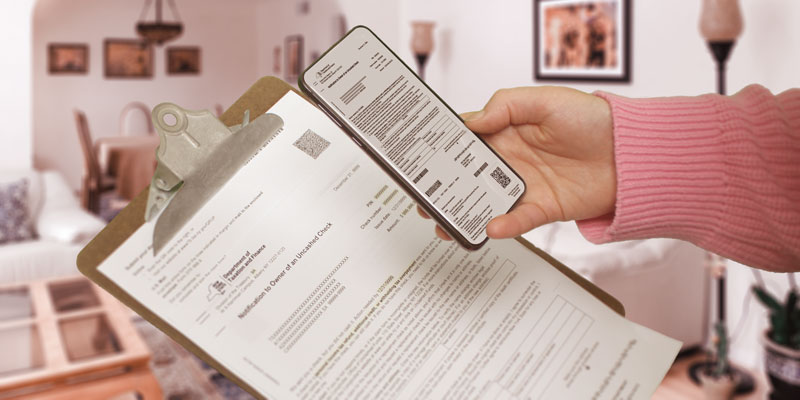
Lost, stolen, or uncashed check letters
Did you receive a letter asking you to complete Form DTF-32, DTF-33, DTF-36, TD-210.2, TD-210.3, or TD-210.7? To receive your new check sooner, use your mobile device to submit your form online!
- Scan the QR code on your letter.
- Snap a photo of your completed form.
- Submit your photo.
Benefits include:
- security, without the hassle of an account
- no printer or computer required
- instant confirmation we received your form
What we're mailing Now
Statement of proposed audit changes: PTET credit discrepancies (DTF-960-E)
Mail date: November 27
If you received this letter, it means you claimed too much PTET credit compared to the direct share of the PTET credit you reported by the entity on the PTET return (DTF-653) and did not add back the PTET deduction addback as a NY Addition Coded A-219 or EA-219 and/or A-222 or EA-222 on Form IT-225.
If you agree, see Make a payment, or visit Request an installment payment agreement (IPA) if you cannot pay in full before the due date. If you disagree, you may request a review of this notice following the instructions on page 2 of this letter.
Statement of proposed audit changes: PTET credit discrepancies (DTF-960-E)
Mail date: November 25
If you received this letter, it means you claimed too much PTET credit compared to the direct share of the PTET credit reported on your PTET return (DTF-653).
If you agree, see Make a payment, or visit Request an installment payment agreement (IPA) if you cannot pay in full before the due date. If you disagree, you may request a review of this notice following the instructions on page 2 of this letter.
Statement of Proposed Audit Changes (DTF-960-E)
Mail dates: November 17
If you received this letter, it means there was a discrepancy between your federal income tax return and your New York resident income tax return (IT-201).
If you agree, see Make a payment, or visit Request an installment payment agreement (IPA) if you cannot pay in full before the due date. If you disagree, you may request a review of this notice following the instructions on page 2 of this letter.
Notification to Partner or Shareholder that PTET entity need to file return (Form AU-653)
Mail dates: November 17
If you received this letter, it means one or more entities associated with your pass-through entity tax (PTET) credit for tax year 2024 have not filed their required annual return.
If you have questions, visit Frequently asked questions about the pass-through entity tax (PTET) for more information.
Notice and demand for payment of tax due: Underpayment of estimated income tax (DTF-966-E)
Mail dates: Beginning November 17
If you received this letter, it means you did not prepay enough of your 2023 tax through estimated tax or withholding.
To pay, see Make a payment, or visit Request an installment payment agreement (IPA) if you cannot pay in full before the due date.
Protecting our wallets energy rebate (POWER) check
Mail dates: Beginning Fall 2026
The 2026–2027 New York State budget established an energy rebate check program to provide relief to taxpayers due to increased utility costs. If you qualify for payment, you do not need to do anything; we will automatically send you a check.
To learn more about this check, see Protecting our wallets energy rebate (POWER) check.
Concerned about fraud?
Please report any suspicious contact, including by mail, you have with individuals claiming to be Tax Department or IRS employees. To learn how to recognize and report a scam, see Report a scam.