Manufactured Home Parks Registration
Manufactured Home Parks Registration (MHPR)
Registration for manufactured home parks has a new home at the Tax Department!
To submit your registration or update your account:
Note: If this is your first time submitting your registration on the Tax Department website, and you have not requested your login information with us yet, see Request Account.
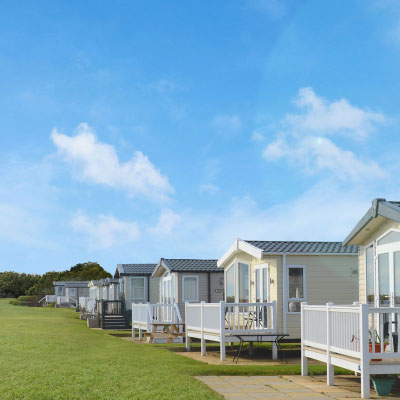
To make sure the Tax Department and the Division of Housing and Community Renewal each have what they need to better serve you and your manufactured home community, and to provide information for STAR, Manufactured Home Parks Registration is now submitted online at the Tax Department.
Information
Who must register
If you are the primary park contact for one or more manufactured home parks, you are required to register twice each year, during June and during December. We will also now ask you to provide lot details, including physical addresses and names of adult residents.
If you have not already requested an online MHPR account, see How to request an online MHPR account.
How to register or update your park information
1. Gather your park information.
Each year, during June and December, you will need to report the following for each lot:
- lot number
- physical address
- ownership status (rent, own, or vacant)
- monthly lot rent
- names of adult residents
2. Review the upload instructions.
Our new application allows you to manually enter or upload your lot information. If you plan to upload your park information, see MHPR: upload instructions to learn how to format your spreadsheet and to view a sample upload.
3. Sign in and register.
- Select Access MHPR.
- Enter your username and permanent password.
- Select the checkbox next to I’m not a robot; you’ll receive a prompt to identify a series of images.
- Select Sign In.
Forgot your username or password?
Reminder: Your username for this registration begins with MHP and is followed by your first initial and last name (and a number if there are duplicates). For example: MHPJDOE
Note: If this is your first time using MHPR on the Tax Department website and you have not requested your login information with us, see How to request an MHPR account.
4. Update your park information as changes occur.
To make registration easier, you can update your park information throughout the year. Log in to your online MHPR account to update lot status, ownership details, and other park information—any time.
How to request an online MHPR account
1. Gather your park information.
If you are a new contact for a park or want to register online for the first time, you must provide the following information:
- contact name
- contact mailing address
- contact phone number
- contact email address
- name of each park you are a contact for
- park facility ID (if known)
- park physical address
2. Call us to request an MHPR account.
Contact our Property Tax Call Center.
3. Keep a copy of your account confirmation email.
After you call us, we'll process your request and follow up by email with everything you need to access your new account, update park information, and—during June and December each year—register online.
Please subscribe to our Manufactured Home Park Owners email list for reminders, updates, and tips to make registration fast and simple.
Note: If you have already received a username and password for your MHPR account, you do not need to request a new account. Select Access MHPR at the top of the page and enter your login information.
Resources
- Mobile and Manufactured Homes General FAQs
- Mobile and manufactured homes
- Form RP-233, Manufactured Home Parks Registration Form, and instructions
- Form RP-233-ATT, Attachment to Manufactured Home Parks Registration Form
Sign up for updates for Manufactured Home Park Owners.